Design
Describe it to Aura, then shape it on the canvas.
Design agents, connect them to your systems and run them in production, from one visual canvas.
So every change is a risk, and nothing reaches production.
Nobody can see how the agents hand off.
Nobody knows what they are allowed to do.
Nobody can tell why a case went wrong.
From the first description to the deploy, in one studio.
Describe it to Aura, then shape it on the canvas.
Plug in tools, APIs, MCP servers and the documents your agents work from.
Add limits and human approvals, then run real cases and see what passes.
Ship the version that passed, on your own cloud.
 get_orderShopifyAdd
 issue_refundStripeAdd
 notify_teamSlackAdd
Architecture, orchestration, governance and operations in one workspace.
Agents, tools and hand-offs on one canvas.
Describe the workflow. Get the graph.
APIs, databases and apps, as tools.

Real and edge cases on every version.
Answers from your data, with the source.
Agents act. A person signs off where a rule says so.
Live conversations on chat, WhatsApp, Slack, Teams and email.
 WhatsAppSlack
 TeamsWeb chatEmail
Run on a schedule or event. A person steps in only when needed.
Support agentliveAura turns a business requirement into agents ready to deploy.
Describe it and get workflows, prompts, tools and logic.
Conditions, integrations, memory and approvals, built in.
Learns from your documents, APIs and past conversations.
Simulate conversations, inspect the reasoning and refine the prompts.
Design agents and hand-offs on one canvas.
View Agent Graph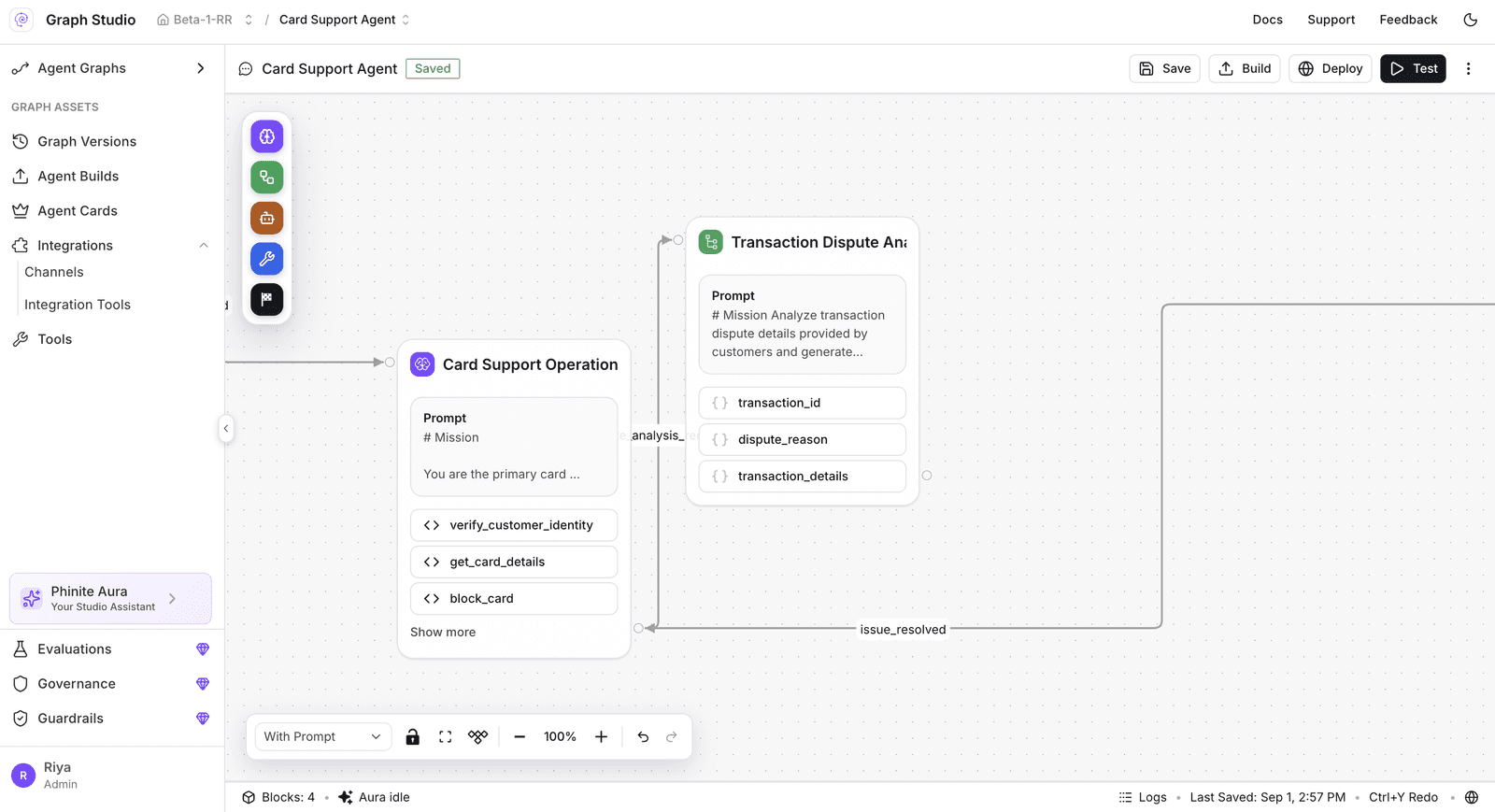
Run every version on your own cloud.
View Agent RuntimeFollow every step, tool call and decision.
View Agent TraceDescribe an agent and get the graph.
View Phinite AuraTest every version before it ships.
View Eval Studio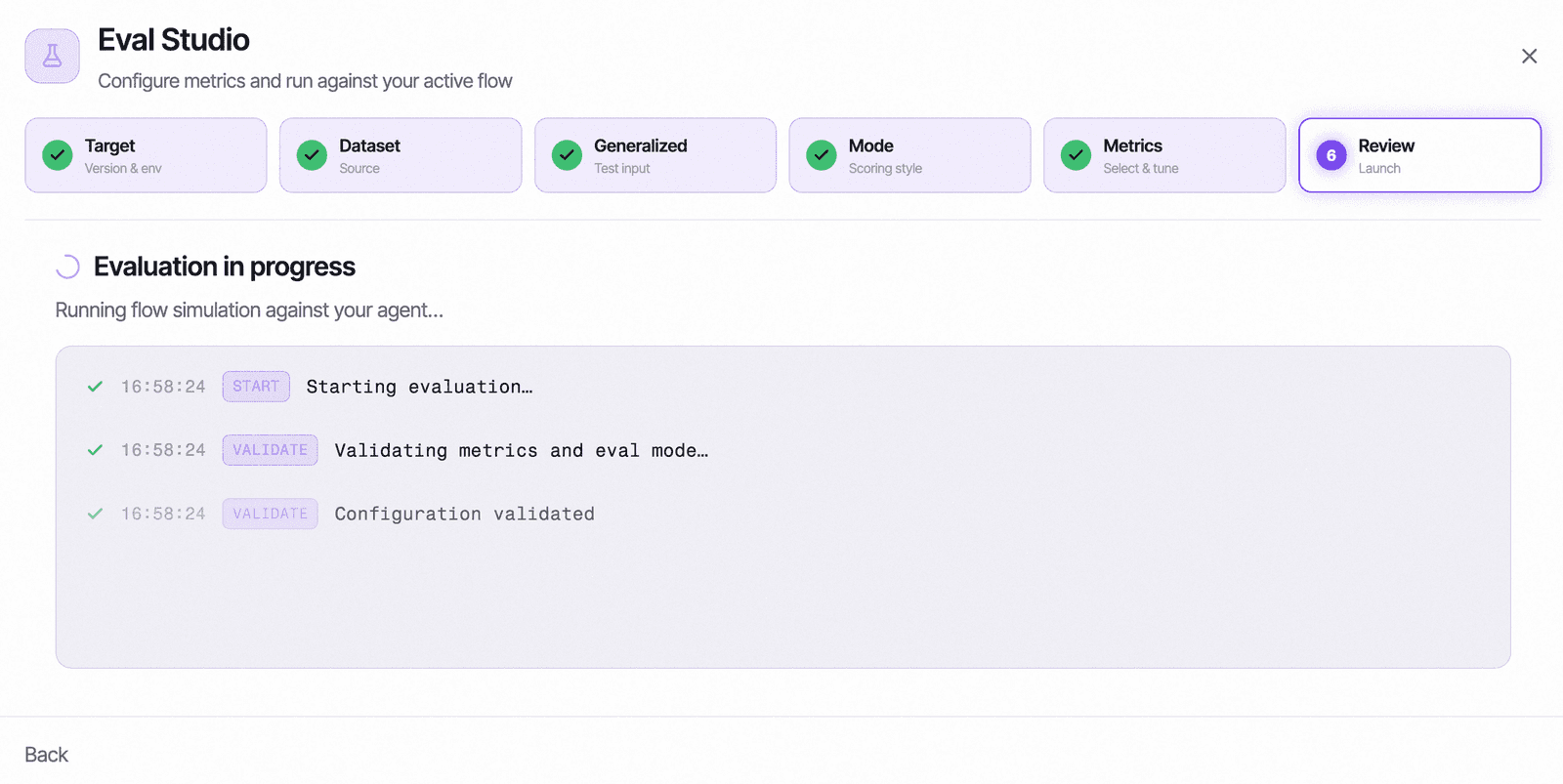
Write and publish your own tools.
View Dev Studio1def main(inputs, env):2 to = inputs.get("recipient")3 if not to:4 raise ValueError()5 return send(to)The questions teams ask us most. Anything else, ask us in a demo.
Agent Graph Studio is Phinite's visual workspace for designing, testing and running multi-agent systems. You lay out agents, tools, knowledge and human approvals on one canvas, test them on real cases, and ship a pinned version to production on your own cloud.
Workflow builders chain fixed steps. Agent Graph Studio orchestrates agents that reason, hand off to each other and call tools, with guardrails, approvals, tracing and versions built in. The graph you design is the same one you govern and observe in production.
Yes. Graphs move from dev to UAT to production with role-based access, an audit trail and pinned versions, and they run in your own AWS, Azure or Google Cloud account.
Yes. Business teams can describe an agent to Aura or work on the visual canvas, while engineers extend it with code, APIs and MCP servers. Both work on the same graph.
Yes. Phinite runs in your own cloud account and you can bring your own model keys, so your data and your models stay inside your environment.
Multi-agent orchestration is coordinating several AI agents so each one handles part of a task and hands the work to the next. Agent Graph Studio shows that coordination as a graph you can design, test, govern and trace.